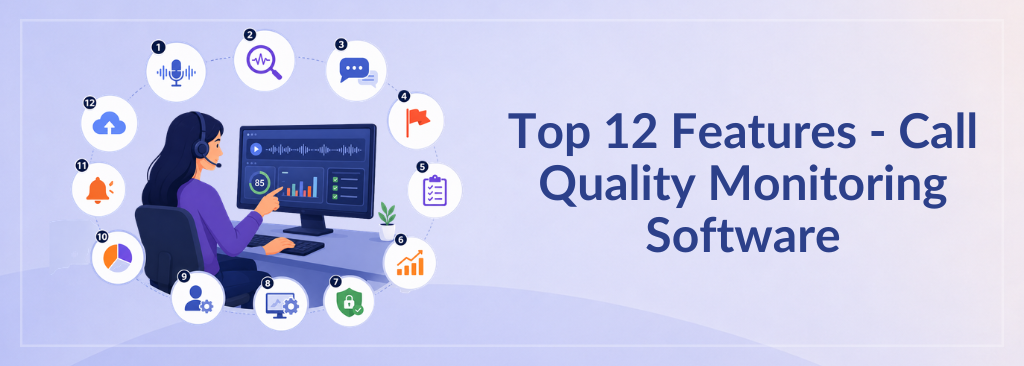
Top 12 Features Every Call Quality Monitoring Software Should Have

If your Contact center QA team is still manually listening to calls and filling out spreadsheets, I have some uncomfortable math for you. Most contact centers review somewhere between 1% and 2% of total calls. That means 98% of your customer interactions go completely unexamined.
Nobody scores them and coaches off them. Even nobody checks whether the agent said what they were supposed to say for compliance purposes. You’re essentially running your quality program on a sample size so small it wouldn’t pass a statistics 101 class.
I ran QA this way for years, and what finally broke me wasn’t a dramatic compliance failure. It was the slow realization that I was catching problems weeks after they’d already done their damage. A customer had churned. A rep had been giving wrong information for a month. A pattern that should have been obvious was invisible because we were only looking at a sliver of the picture.
Read : Customer Churn Guide of 2026
That’s the case for Call Quality Monitoring Software. Not software that just records calls, but software that actually watches, scores, and surfaces what matters across every interaction. Here’s what you should look for now when evaluating a CCaaS platform.
The 12 Features that Actually Matter
#1 AI-Powered Transcription
it is where everything starts. If the software can’t accurately turn speech into searchable, analyzable text in near real time, nothing downstream works well. You need transcription that handles accents, cross-talk, and industry jargon without falling apart. This is the foundation, and the quality gap between vendors is wider than most buyers realize.
#2 Automated Quality Scoring
This is what separates a monitoring tool from a recording tool. Instead of a QA analyst manually grading five calls a day, the system scores every single interaction against your criteria.
Did the agent follow the opening call script?
Did they confirm the customer’s identity?
Did they offer the required disclosures?
When this works well, your QA team stops being data collectors and starts being coaches.
#3 Speech and Voice Analytics
go a layer deeper than transcription. You’re looking at things like the talk-to-listen ratio, how often agents interrupt, the pace of speech, and periods of dead air. These patterns tell you things about call quality that a call transcript alone misses. An agent might say all the right words but rush through them so fast the customer doesn’t absorb any of it.
#4 Sentiment Analysis
picks up the emotional texture of a conversation.
Is the customer getting more frustrated as the call goes on?
Did the agent’s tone shift when they got pushback?
This isn’t a gimmick; it’s how you catch interactions that technically followed the script but still left the customer feeling unheard. It’s also how you spot your best agents: the ones who consistently de-escalate.
#5 Keyword and Phrase Tracking
is more tactical than it sounds. You can flag mentions of competitors, instances where customers say things like “cancel my account” or “speak to a manager,” or when agents use prohibited language. Over time, keyword trends become an early warning system for product issues, emerging complaints, or training gaps you might not have noticed.
#6 Compliance Alerts
matter most in regulated industries, but honestly, every contact center has some set of required disclosures or restricted phrases. The right call center software flags violations as they happen, or at least immediately after the call, rather than waiting for someone to stumble across one during a random review three weeks later.
#7 Call Recording
is the baseline. You need reliable, secure, searchable recordings with proper retention policies. But I’d push anyone to look past recording alone. If call recording is the only thing your tool does well, you’re paying for a filing cabinet when you need an analyst.
#8 Agent Coaching Workflows
are where the data turns into development. The best contact center platforms let you attach a scored call directly to a coaching session, assign follow-up actions, and track whether performance actually changed over time. Without this, you generate a lot of scores that sit in a dashboard and never reach the person who needs them.
#9 Customizable Scorecards
matter because your business isn’t generic. A healthcare contact center is concerned with HIPAA disclosures. A financial services team cares about identity verification steps. A sales floor cares about objection handling. If the platform only offers a one-size-fits-all scorecard, you’ll spend more time working around it than working with it.
#10 Real-Time Dashboards and Reporting
give you the pulse of what’s happening right now, not what happened last quarter. I want to see QA scores trending by team, by agent, by call type. I want to know which compliance categories are failing most often this week. If I have to wait for someone to pull a report, the data is already stale by the time I see it.
#11 CRM Integration
is one of those things that sounds like a nice-to-have until you don’t have it. When your QA data lives in one system, and your customer data lives in another, you can’t connect the dots. You can’t see that the customers who churn fastest are the ones who experienced a low-scoring interaction in their first 30 days. That connection is where QA stops being an operational function and starts influencing business strategy.
#12 Omnichannel QA support
is non-negotiable if your team handles more than phone calls. Customers reach out over chat, email, social, SMS. If your quality monitoring only covers voice, you have blind spots in every other channel. The best platforms apply the same scoring logic across all of them so you get a consistent view of quality regardless of how the customer made contact.
Mistakes I’ve Seen Buyers Make
The most common one is settling for a tool that records calls and nothing else. Recording is a commodity. If that’s all you’re getting, you’re leaving the actual quality monitoring to manual effort, which brings you right back to the 1-2% problem.
Second is underestimating the extent to which AI capabilities vary between vendors. “AI-powered” has become a checkbox on every product page, but the difference between 80% and 96% accuracy is the difference between useful data and noise. Ask for specifics. Ask to test it on your own calls.
Third, and I’ve made this mistake myself, is buying based on price without checking whether the tool integrates with your existing stack. A QA platform that can’t talk to your CRM, your CCaaS platform, or your workforce management system becomes an island. You end up exporting CSVs and copy-pasting data, which defeats the purpose.
And finally, don’t forget to ask about scale and compliance. If you’re in a regulated industry, you need to know exactly how the software handles data retention, access controls, and audit trails. If you’re growing, you need to know the platform won’t buckle when your call volume doubles.
What to Ask During a Demo
When you’re evaluating contact center platforms, a five questions cut through the marketing quickly.
- Can this tool evaluate 100% of interactions, or just a sample?
- Does it generate AI-powered summaries so agents and supervisors don’t have to re-listen to entire calls?
- How does it detect and flag compliance violations?
- Is it rule-based, AI-driven, or both?
- Can I build and modify my own scorecards without needing a developer? And does it plug into the CRM and CCaaS systems we already use, or does it require a custom integration project?
The answers to those five questions will tell you more about a platform’s real capability than any slide deck.
Where to Go From Here
If you’re shopping for a solution right now, use the 12 features above as a checklist for comparison. Line up your shortlisted call center solution vendor against each one and see where the gaps are. Most vendors worth talking to will let you run a pilot on your own data. Take them up on it. That’s where you’ll see whether the product actually delivers or just demos well.