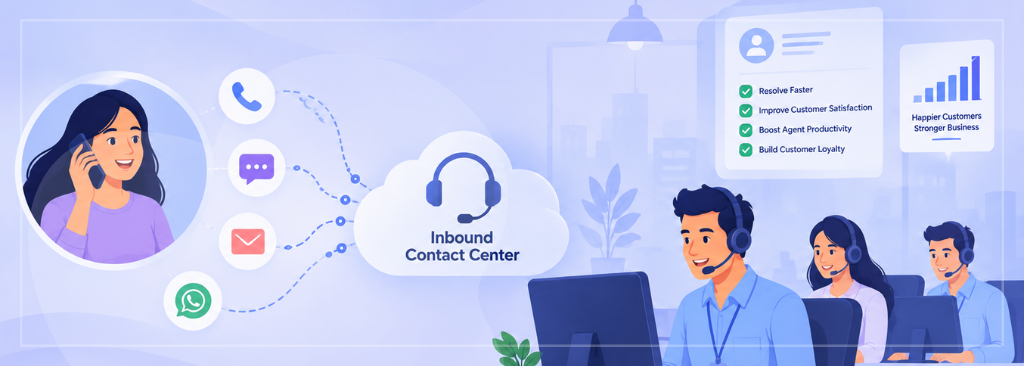
Inbound Contact Center Solutions: Features, Benefits, and Best Practices

I’ve spent enough time around contact center operations, buying calls with vendors, sitting in on QA reviews, and untangling “why is our hold time going up again” conversations, to have strong opinions about inbound contact center software.
Most of those opinions came the hard way, from watching a good team get buried by a bad system, or a mediocre system get rescued by a team that refused to let customers feel it. So, this is less a product spec sheet and more a walk-through of everything I wish someone had explained to me before I sat through my first vendor demo.
What is an Inbound Contact Center Solution?
At its core, an inbound contact center solution is the software that receives, routes, and manages incoming customer interactions, whether that’s a phone call, a chat message, an email, or a social media DM. The inbound part matters because it flips the usual sales-call assumption on its head: these are customers reaching out to you, already motivated, already needing something.
That’s a different job than outbound dialing.
An inbound solution must be ready the instant a customer initiates contact, and it must route that contact to the right place without making the customer repeat themselves three times along the way.
How Inbound Contact Centers Work
Under the hood, it’s a relay. A customer calls, chats, or emails in. The system identifies who they are and why they’re reaching out, using caller ID, account lookups, or a quick self-service menu. Then it decides where that interaction should go, an agent, a bot, a specific queue, based on rules the business has set up.
While the conversation happens, the system quietly logs everything: what was said, how long it took, and whether it got resolved. Afterward, that data feeds back into staffing, coaching, and process decisions. It’s a loop, not a straight line, and the best platforms treat every stage as equally important instead of obsessing over just the “answer the call” part.
Key Use Cases for Inbound Contact Centers
Inbound systems earn their keep across a wide range of situations: customer support lines fielding billing questions, technical help desks troubleshooting product issues, healthcare scheduling and patient intake lines, insurance claims and policy inquiries, e-commerce order status and returns, financial services account servicing, and government or utility services handling high call volumes during outages or enrolment periods.
What ties these together isn’t the industry; it’s the pattern: high volume, variable urgency, and customers who expect to be recognized rather than treated like strangers every time they call.
Essential Features of an Inbound Contact Center Solution
There’s no shortage of feature checklists out there, but most boil down to six things worth caring about. I’ll take them one at a time.
IVR and Intelligent Call Routing
Interactive voice response used to mean an infuriating maze of “press 1 for this, press 9 to start over.” Modern IVR, especially the AI-driven kind showing up across the industry heading into 2026, is shifting from rigid menus toward conversational systems that let a customer say what they need in plain language and get routed correctly on the first pass.
Intelligent routing then takes that intent and matches it against agent skills, language, availability, and even the customer’s history, so the person picking up the phone is actually equipped to help.
ACD and Queue Management
It decides which agent gets which call based on skill level, priority, or simple availability, and it manages the queue when everyone’s busy, deciding who waits, for how long, and what they hear while they do.
Good queue management doesn’t just prevent chaos; it actively protects your highest-value or most urgent interactions from getting stuck behind routine ones.
Omnichannel Inbound Customer Service
Customers don’t think in channels. They start a chat, get frustrated, and call. They email a follow-up to a conversation that started on the phone.
An omnichannel inbound solution keeps that entire thread connected, so an agent picking up the call can see the chat transcript from ten minutes ago instead of asking the customer to explain everything again. Without that continuity, every channel switch feels like starting over, and customers notice.
CRM and Business-system Integration
This feature turns a contact center from a call-answering machine into an extension of the business. When the platform integrates with your CRM, order management, or billing systems, agents see account history, past tickets, and purchase details the moment a call connects.
That single integration point often improves resolution speed more than any amount of agent training, because it removes the need to ask questions the business already has answers to.
Call Recording, Analytics, and Reporting
Recording and transcription exist for more than compliance, though that matters too. The real value is in the analytics layer built on top: sentiment trends, common escalation triggers, agent performance patterns, and where customers are actually getting stuck in your process. Reporting turns a pile of individual conversations into a pattern you can actually act on.
Workforce Management for Inbound Teams
None of the above matters if you don’t have the right number of trained people available at the right times. Workforce management tools forecast call volume, build schedules, and track adherence, turning staffing from a gut-feel guess into something closer to a science. It’s unglamorous, and it’s usually the difference between an operation that runs smoothly and one that’s perpetually understaffed on Monday mornings.
Benefits of Modern Inbound Contact Center Solutions
When these pieces work together, the payoff shows up in a few concrete ways, like faster resolution times because agents aren’t fumbling for context, higher customer satisfaction because people feel recognized rather than processed, lower agent burnout because repetitive lookups and manual note-taking get automated away, and better forecasting because leadership can finally see patterns instead of guessing.
There’s also a quieter benefit that doesn’t show up on a dashboard: institutional memory. A well-integrated system remembers things about your customers, so your team doesn’t have to.
Best Practices for Improving Inbound Operations
The strongest inbound operations I’ve seen share a few habits.
They design IVR menus around what customers actually ask, not around internal org charts. They review call and chat transcripts regularly instead of only sampling them when something goes wrong. They give agents real-time access to customer context before the second ring, not after. They treat workforce forecasting as a living process, revisiting it monthly rather than setting it once a year.
And they close the loop between analytics and frontline coaching, so insights from reporting actually change how people work the next week instead of sitting in a dashboard nobody opens.
Common Inbound Contact Center Challenges
None of this is easy.
Call volume spikes unpredictably, especially around outages, product launches, or seasonal demand, and staffing models built on last year’s averages fall apart fast. Legacy systems resist integration, leaving agents toggling between five different screens just to answer one question. Agent turnover erodes institutional knowledge faster than training programs can rebuild it, so the same mistakes keep resurfacing with new hires. Customers increasingly expect an immediate, personalized response regardless of channel, which raises the bar every year, whether or not the budget keeps pace.
And it’s genuinely hard to balance automation with moments when a customer just needs to talk to a human who actually listens, rather than another well-meaning bot reading intent off a script.
How AI is Transforming Inbound Customer Service in 2026
This is where things are moving fastest. AI agents are increasingly handling first-line inquiries end to end rather than just deflecting simple ones, and industry analysts now talk about resolution rate, whether the issue actually got solved, replacing satisfaction score as the headline metric.
Voice AI has matured to the point where natural conversational systems are replacing rigid phone menus for a growing share of interactions. However, the accuracy of the underlying speech recognition remains the make-or-break factor behind the scenes.
Real-time agent assist is also becoming standard rather than a premium add-on: systems that listen alongside a live call and surface the right knowledge-base article or next-best-action before the agent even has to ask.
And there’s a shift toward predictive service, systems flagging a likely problem before the customer calls about it at all. None of this replaces human agents so much as it changes what they spend their time on: less repetitive lookup work, more of the judgment calls that actually need a person.
How to Choose the Right Inbound Contact Center Solution
Start with your actual call patterns, not a vendor’s feature list. Map your busiest channels, your most common inquiry types, and where customers currently get stuck. Prioritize integration with the systems your team already lives in; a beautiful contact center platform that can’t talk to your CRM will frustrate agents daily no matter how polished the interface looks in a demo.
Ask vendors pointed questions about AI accuracy and fallback behavior, because a voice agent that mishears account numbers is worse than no voice agent at all. Weigh deployment speed and scalability against your growth plans, factor in security and compliance requirements if you handle sensitive data, and talk to references who run an operation similar in size and complexity to yours, not just the vendor’s flagship case study.
Conclusion
Inbound contact center solutions have quietly become one of the more important pieces of infrastructure a customer-facing business owns, not because the technology is flashy, but because it’s often the first, and sometimes only, human moment a customer has with a company.
Get the routing, the integrations, and the staffing right, and that moment becomes a quiet advantage. Get it wrong, and no amount of clever AI in the background will make up for a customer who felt like a number. The tools keep getting smarter every year, but the goal hasn’t really changed: make it easy for someone to reach you, and make sure whoever, or whatever, answers actually knows why they called.
Frequently Asked Questions
At minimum, look for intelligent IVR and call routing, ACD with skills-based queue management, omnichannel support that keeps conversations connected across channels, CRM and business-system integration, call recording with analytics and reporting, and workforce management tools for forecasting and scheduling. Together, these cover the full path from “customer reaches out” to “issue resolved and measured.”
An inbound call center focuses specifically on phone-based customer interactions. An inbound contact center covers that same inbound demand across multiple channels, like phone, chat, email, social media, and messaging apps, managed through a single platform so customer history and context carry across whichever channel they use.
IVR gathers intent and identity information before a customer ever reaches an agent, whether through menu selections or, increasingly, natural conversational input. That lets the system route the call to the right skill group or self-service option immediately, cutting wait times and reducing the number of transfers a customer has to sit through.
Healthcare and insurance are probably the heaviest users, mostly for scheduling and claims. Insurance especially, since claims volume can double overnight after a storm and nobody has five extra agents sitting around waiting for that.
Banks and utilities run into the same crunch during outages or billing cycles, when the phones don’t stop for a day or two. Retail and e-commerce lean on inbound support for order status and returns, and government offices use it for things like unemployment claims and license renewals.
Really, any business that gets hit with unplanned call volume ends up running some version of this, whether or not anyone in the building calls it a contact center.
It means the agent isn’t starting cold. They can already see what the customer ordered, what they called about last week, and whether there’s an open ticket, before they even say hello.
That’s usually the difference between a two-minute call and a ten-minute one, because the customer isn’t stuck re-explaining their own account to a stranger who just picked up the phone. It sounds small on paper, but it’s often the single biggest gap between a support experience that feels fine and one that actually feels looked after.